For iPhone · 32 languages

The days without it,
counted calmly.

Alcohol, nicotine, vaping, sugar, screens — whatever you have decided to leave behind. One number, what you get back for it, and a restart that keeps your history.

Free to use. One optional payment for extras — no subscription, no trial.

Next: Six months54 days to go
Kept back$2,160 at your own price per day
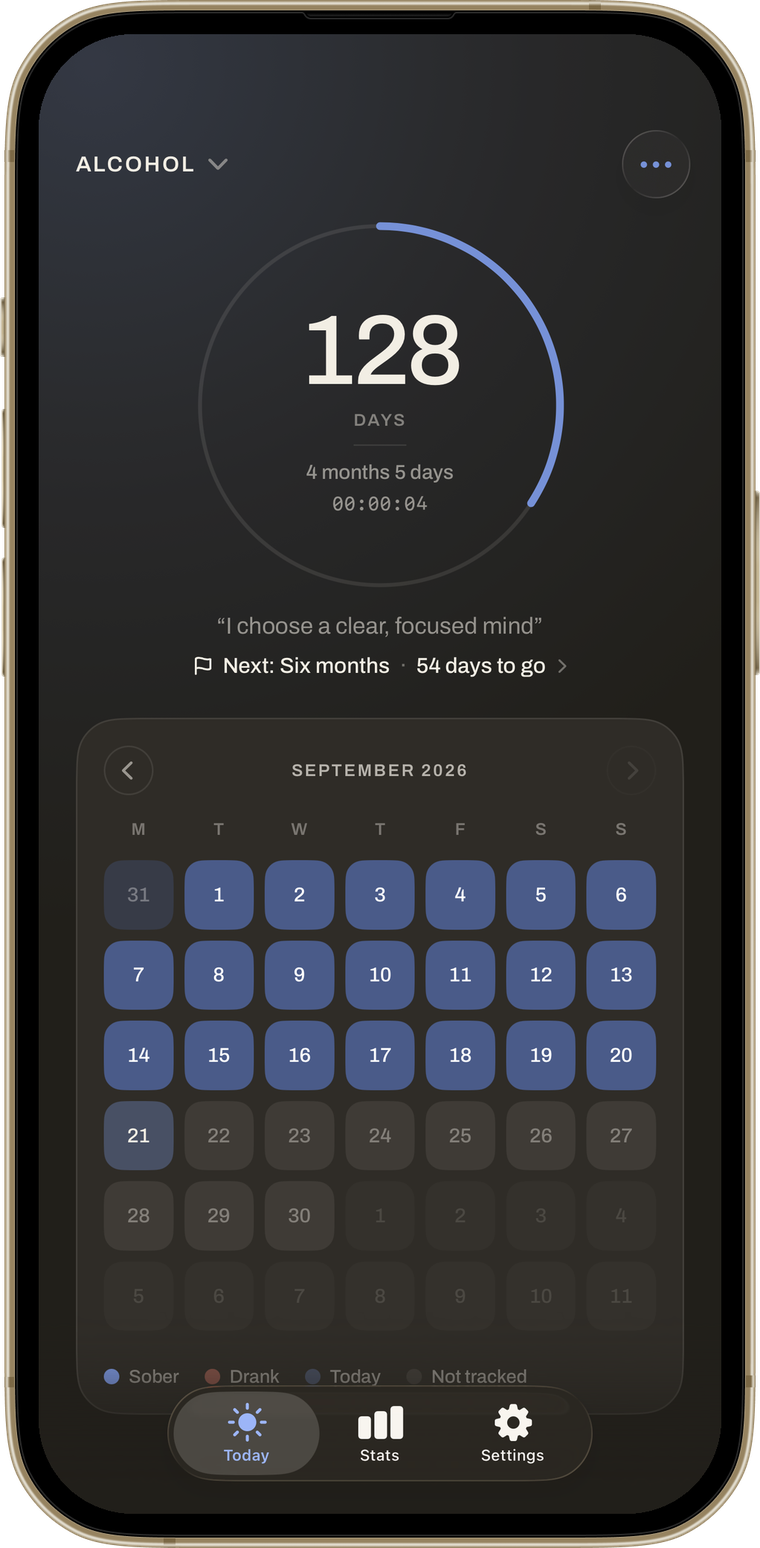
The Quitwell counter: 128 days, a blue ring, the reason you started and the calendar underneath

The counter

One number, and the quiet around it.

A ring with the day count, the months behind it and a live clock. Under it, the reason you started and a calendar of every day — each counter in its own colour, each with its own history.

  • One goal at a time — a day, three days, a week — and the ring fills up to it
  • Your why, in your own words, on the screen you open every day
  • A calendar where every day is accounted for
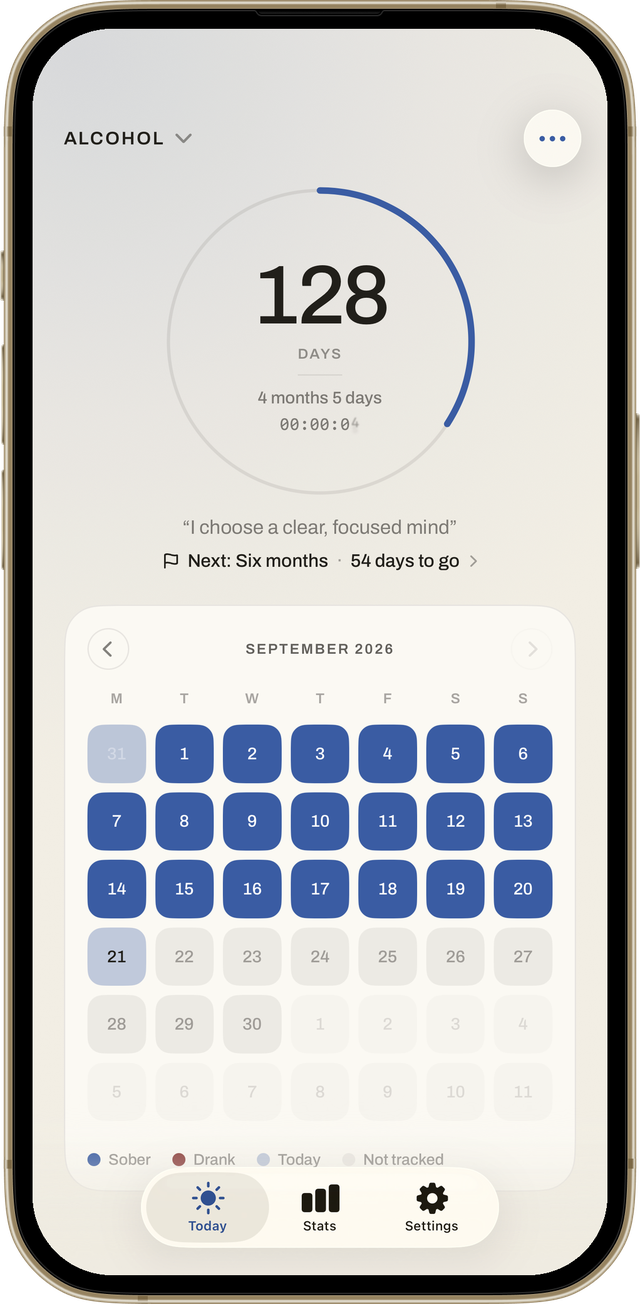
Today screen with the counter ring, the next milestone and the calendar

What you get back

Only your own numbers.

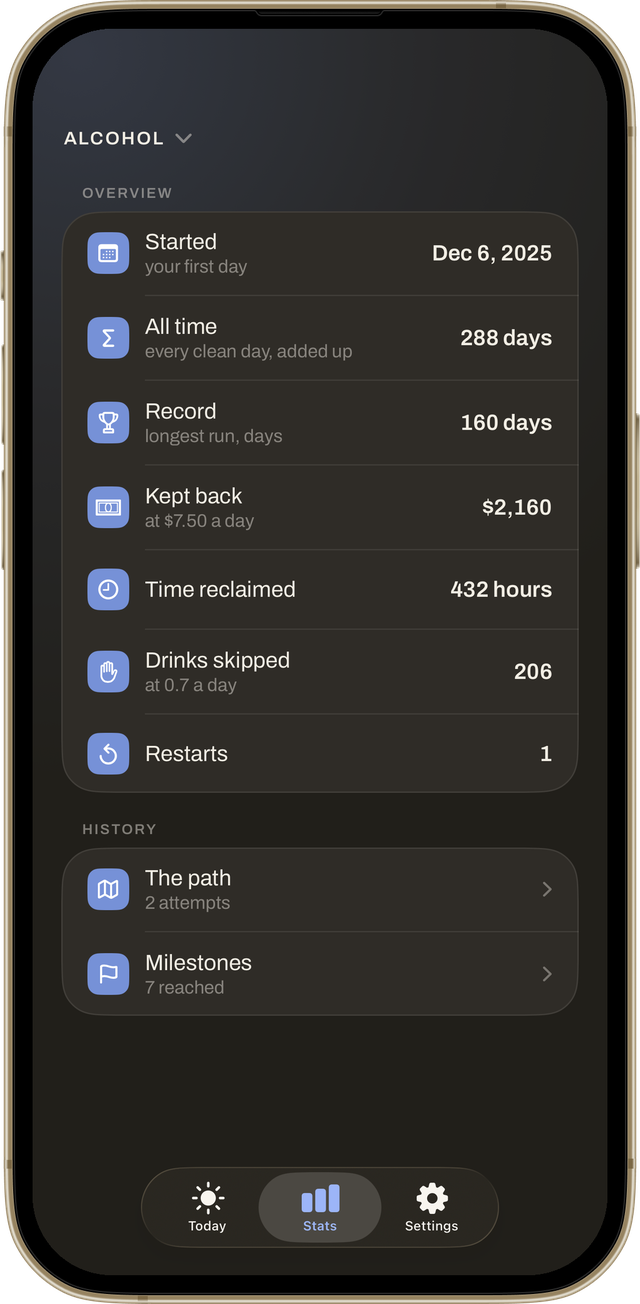
Tell it what the habit cost you — money, time, how often it happened — and it counts what you kept. No averages invented for you, no claims about your body.

  • Money kept back, at your own price per day
  • Hours reclaimed, and the times you said no
  • Your record, your total days, and the day it all started
Stats screen: started, all time, record, kept back, time reclaimed, drinks skipped

If it breaks

A restart is not a reset.

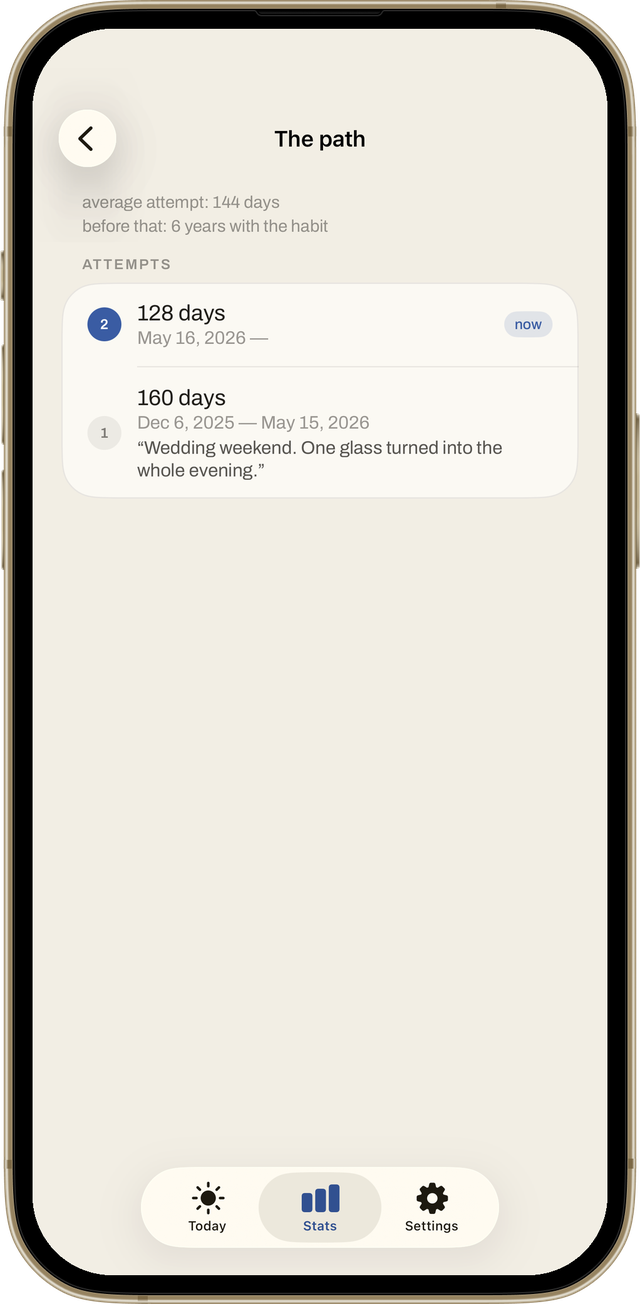
Slipped? The day is logged, not erased. Your total days across every attempt stay yours, your record stays, and the path of every attempt stays visible.

  • Mark a slip on any day in the calendar
  • Undo it if you tapped by mistake
  • Leave yourself a note about what was happening — it waits for you on the path
The path: every attempt with its length, dates and the note left at the end

And the rest of it

Built around the long stretch, not the first week.

The parts that matter on day 40, day 400, and the day you are not sure about.

Milestones that never run outDay one, a week, a hundred days, a year — then anniversaries and round days, forever. Add your own dates.
Home screen widgetThe ring and the live clock on your home screen. You choose which counter it shows.
iCloud syncOptional, off by default. On a new phone your history is offered back before you set anything up.
App lockFace ID, Touch ID or your passcode — right away or after a minute.
Export your historyEvery attempt as a table, or a PDF report with a page per counter. Made on your phone, sent nowhere.
Quiet notificationsOff by default. A milestone on the day itself, and never more than one reminder a day.
Light and darkWarm paper by day, night sky after dark. Or let the phone decide.
A colour for every counterEach counter gets its own colour — on the ring, the calendar and the widget.
32 languagesThe whole app, not just the store page. Switch inside the app any time.

Private by design

Your recovery is nobody else's data.

No account. No name, no email, no sign-in. What you are quitting, the days you count and the notes you write stay on your phone and in your own iCloud.

Nothing to sign up for

Open the app and start counting. There is no account to make and no server of ours holding your entries.

Your notes are yours

The reason you started, the notes you leave after a slip, your own milestones — none of it ever leaves your device or your iCloud.

Only anonymous usage

We see that a counter was created or a milestone was reached, never what you wrote. Purchases are handled by Apple. No ads, no tracking, no selling of anything.

The full privacy policy is one page and written in plain English.

Questions

Things people ask.

Is it free?

Yes. The counter, goals, milestones, the calendar, restarting without losing history, colours and the widget are free forever. One optional payment adds more counters, your own milestones and export. No subscription, no trial, no reminders about it.

What happens if I slip?

You mark the day, optionally write a line about it, and the counter starts again. Your record, your total days and the path of every attempt stay exactly as they were. You can undo a slip for a day, or remove it from the calendar later.

Can I count more than one thing?

Yes. One counter is free; the one-time purchase adds more — alcohol and nicotine, or sugar and screens, each with its own start date, colour and history. The home screen widget shows whichever one you choose.

Does it work on iPad?

It is built for iPhone. On an iPad it runs in the iPhone layout, and iCloud sync keeps both devices on the same numbers.

Does it need the internet?

No. Everything works offline. iCloud sync and the App Store purchase need a connection; nothing else does.

Where does my data go if I delete the app?

With the app. If iCloud sync was on, the copy in your iCloud can be erased from inside the app before you delete it.

More apps

Other things built by the same person.

One-person studio, no ads and no subscriptions in any of them.

Start counting today.

Or the day you choose — the start date can be anything.

Download on the App Store